AVG Free 2013.
AVG Free 2013.




Hard disk can give us a false sense of confidence. Sure they can
work for years but sooner or later they will fail. This is a certainty.
The question is not wether they the question is when will they fail.
Usually at the worst possible time.
The best way to do this is to set it up so that it’s done
automaticaly. Here are three solutions to backing up your
precious data:
There is a lot of Antivirus software you can pay for but AVG and
Panda are free and do the job. Panda has the added advantage of
taking very little computer resource.

Virus and Malware
Backups


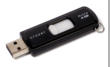
3. USB DRIVE BACKUP + FREE SOFTWARE
$ 20-40
1. EXTERNAL DISK BACKUP
$120-200
2. CLOUD BACKUP
$99/year
More info: Carbonite
More info: Clickfree


AVG Free.
More info: AOMEI Backupper
This is the best solution for the money in my opinion. The ClickFree
external drive will do a file and system backup of your computer. If you
have enough room on the drive (they come in different sizes) you can use it
to backup more than one computer. It’s also a no brainer to use, you plug it
in and it backs-up your computer automaticaly.
Carbonite is a “cloud” backup solution, meaning that your files are copied
to an external server. That’s great if your house burns down, you can still
access your files. So for safety it is the best. The system backup however
will be done on a local hard disk. This means that you will have to buy an
external hard disk ($100-$150).
This is the least expensive solution. You backup your files to a USB drive.
Because of the limited amount of space you will not be able to do a system
backup. For a reasonable price you can get a 64GB USB drive for about
$40. If you don’t have that much stuff a $20 32GB will do the trick. With
this solution you will have to use the Free backup program AOMEI
Backupper. Once that’s done the backup will happen automatically
withouth having anything to do.
Panda Free Antivirus.